
Aegis of Earth: Fist of P...
Aegis of Earth: Fist of Planetaria (known in Japan as Zet...


Army Corps of Hell combines fast-paced horde management with arcade-style combat, leveraging the PlayStation Vita's physical controls and touch features. Set across visceral, arena-like stages floating in the underworld, the game challenges players to command up to 100 goblin soldiers simultaneously while avoiding environmental hazards and dodging massive boss strikes.
Gameplay centers on controlling three specialized classes of goblin troops: Soldiers for close-quarters melee swarming, Spearmen for long-range piercing thrusts, and Magicians for ranged elemental magic attacks. Players must rapidly switch between class formations, swarming enemies to inflict damage while recalling troops before bosses unleash area-of-effect counters. Slain enemies drop meat, bones, and organs, which are salvaged between stages to craft new weapons, armor, and stat-boosting equipment for the King and his goblin army.
Tailored for the PS Vita handheld, the game incorporates rear touch pad controls for mini-games—such as tapping the back panel to revive fallen goblins using a restorative drum routine. Accompanied by a thrashing soundtrack provided by prominent Japanese heavy metal bands, Army Corps of Hell delivers a unique, heavy-metal tactical action experience.
Specification | Details |
Title | Army Corps of Hell |
Platform | PlayStation Vita (PS Vita) |
Developer | Entersphere |
Publisher | Square Enix |
Genre | Action Strategy, Squad-Based, Hack and Slash |
Release Date | December 17, 2011 (Japan) / February 22, 2012 (North America & Europe) |
File Format | VPK / MAI / NoNpDrm |
Languages | English, French, German, Spanish, Italian, Japanese |
Squad-Based Goblin Swarms: Command an army of up to 100 goblins across three distinct classes: Soldiers, Spearmen, and Magicians.
Heavy Metal Aesthetic & Soundtrack: Features a dark fantasy art direction backed by an energetic soundtrack from Japanese underground heavy metal groups.
Loot & Crafting Progression: Harvest materials from defeated demon monsters to craft over 100 unique weapons and armor sets for your squad.
PS Vita Hardware Features: Utilize the rear touch pad for drumming rhythm mechanics to boost squad morale and revive fallen goblins.
Ad-Hoc Multiplayer: Team up with up to 4 players via local wireless ad-hoc connection to take down high-difficulty boss encounters together.
The King of Hell moves using the left analog stick while aiming troop trajectory with the right stick. Trigger buttons command selected goblin classes to launch forward in formation, attack targets, or recall back to safety.
The three classes are Soldiers (close-range melee units that latch onto enemies), Spearmen (charging units that break shields and hit weak points), and Magicians (ranged spellcasters that deal area elemental damage).
Yes, Army Corps of Hell was a launch title for the PlayStation Vita and received a full physical cartridge release in all major regions alongside its PlayStation Store digital release.
The game can be installed on custom firmware (CFW) enabled PS Vita consoles using standard formats like NoNpDrm, VPK, or MAI dumps via VitaShell.
Click the links below to go to the cloud drive download page
⚠️ Download Tips:
Aegis of Earth: Fist of Planetaria (known in Japan as Zet...
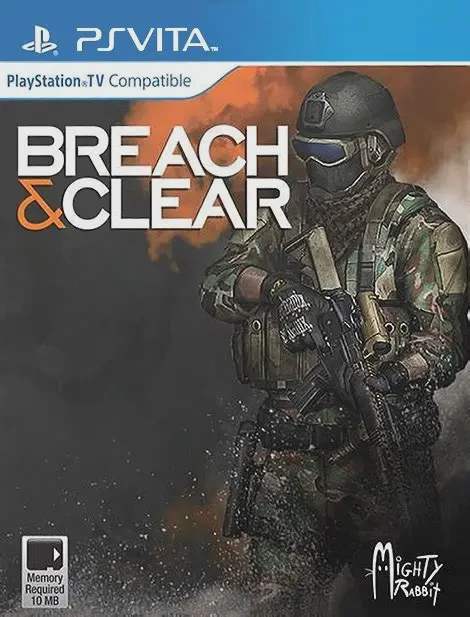
Breach & Clear is a hybrid turn-based strategy and tactic...

Assassin's Creed Chronicles is a sub-series of 2.5D side-...

Nobunaga no Yabou: Tenshouki with Power-Up Kit HD Version...

Sengoku Hime 3: Tenka o Wakeru Hikari to Kage is an engag...