
Vegas Party
Experience the bright lights, high stakes, and fast-paced...

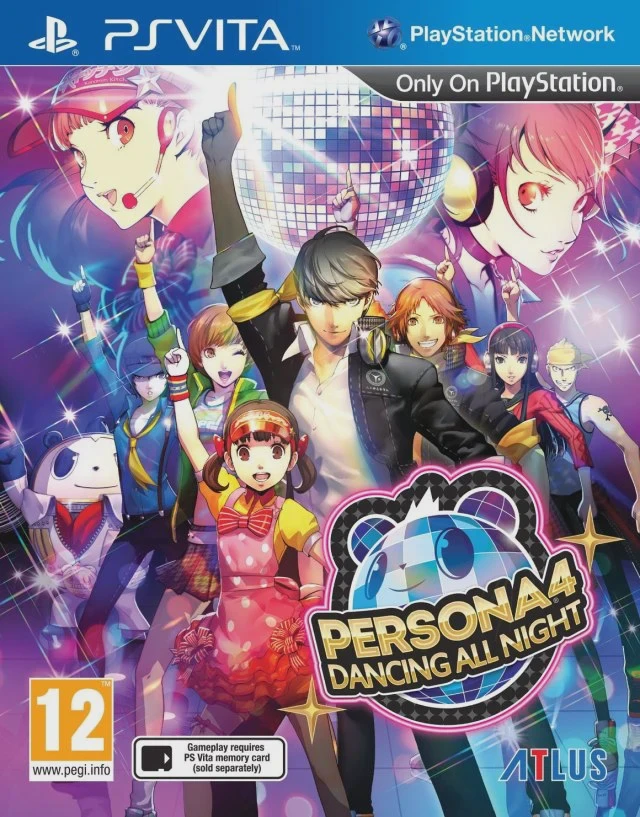
Persona 4: Dancing All Night takes place following the events of Persona 4, where the Inaba crew is drawn back into a supernatural mystery centered around the pop group "Kanamin Kitchen." When members of the idol group mysteriously vanish into the "Midnight Stage," Yu Narukami and his friends must team up to dance their way through the Shadows.
The gameplay revolves around a circular note layout where players tap, hold, and scratch the PS Vita's buttons and analog sticks in time with high-energy remixes of classic Persona 4 music. Beyond the rhythm stages, players dive into a substantial, story-driven campaign that explores themes of fame, self-expression, and inner struggles. Collecting in-game currency lets you unlock a massive wardrobe of costumes, accessories, and changing partner combinations for every song.
Feature | Detail |
Developer | Atlus P-Studio |
Publisher | Atlus / NIS America |
Platform | PlayStation Vita (PlayStation TV Compatible) |
Release Date | September 29, 2015 (North America) |
Genre | Rhythm, Music, Visual Novel |
Mode | Single-player |
Media | PlayStation Vita Game Card, Digital Download |
Canon Story Continuation: Experience a brand-new, fully voiced narrative set after the main events of Persona 4, dealing with idols, social media pressures, and a dark entity lurking behind the scenes.
Rhythm Action Gameplay: Master a fast-paced, intuitive note system utilizing the directional pad, face buttons, and analog sticks, complete with scratch notes and fever multipliers.
Phenomenal Soundtrack: Groove to over 25 full-length tracks and remixes composed by Shoji Meguro, featuring beloved themes like "Reach Out To The Truth" and "Shadow World."
Extensive Customisation: Dress up the entire Investigation Team in dozens of stylish costumes, wigs, and coloured contact lenses, and choose custom dance partners for free dance mode.
Free Dance and Collection Modes: Test your rhythm skills across multiple difficulty levels, unlock support items to tweak challenge parameters, and browse unlocked artwork and music tracks in the gallery.
A: Yes, it is strongly recommended. Because the game serves as a direct canonical sequel to the original story, the plot assumes you already know the characters, their backstories, and the core events of the Investigation Team.
A: The visual-novel-style story mode takes roughly 10 to 12 hours to complete. However, mastering all songs across multiple difficulty tiers and unlocking every costume and collectible item easily expands total playtime to 30 or more hours.
A: Yes, Persona 4: Dancing All Night is fully compatible with the PlayStation TV, allowing you to play the game on a big screen using a DualShock 3 or DualShock 4 controller.
A: The game primarily relies on the standard physical buttons and analog sticks for note inputs, making it comfortable to play on both the original PS Vita and the PS TV. The touch screen can be used for optional "scratch" inputs if you prefer it over the analog sticks.
Click the links below to go to the cloud drive download page
⚠️ Download Tips: